
Barcode Reader
Online Barcode Reader – Scan barcodes & QR codes online using camera or image upload. Fast, accurate, and 100% browser-based tool. No downloads, no setup – works instantly on mobile & desktop.
Barcode Reader
Select a barcode image and the tool will decode it for you.
Free Barcode Reader Online – Scan & Decode Barcode from Image Instantly
Discover the convenience of scanning and decoding barcodes instantly with our free barcode reader online tool. Gone are the days of manual entry or searching for specific software to read barcodes.
Our online barcode scanner allows you to upload an image of a barcode and retrieve the encoded information quickly. Whether you’re a business owner managing inventory or an individual looking to decode a barcode, our tool is designed to be user-friendly and efficient
With our free online barcode reader, you can scan barcode online and get the information you need in seconds. No downloads or installations required, making it a hassle-free solution for your barcode scanning needs.
Key Takeaways
- Scan and decode barcodes instantly from images.
- No software downloads or installations required.
- User-friendly interface for efficient barcode scanning.
- Free to use for individuals and businesses.
- Quickly retrieve encoded information from barcodes.
What Is an Online Barcode Reader?
Online barcode readers offer a quick and efficient way to read barcodes without the need for specialized hardware. These web-based tools allow users to upload images of barcodes and decode the information stored within them.
Using advanced image processing technology, an online barcode decoder free tool can identify and interpret various types of barcodes, including 1D and 2D formats. This capability makes it an invaluable resource for businesses and individuals who need to manage inventory, track products, or simply decode barcodes for personal use.
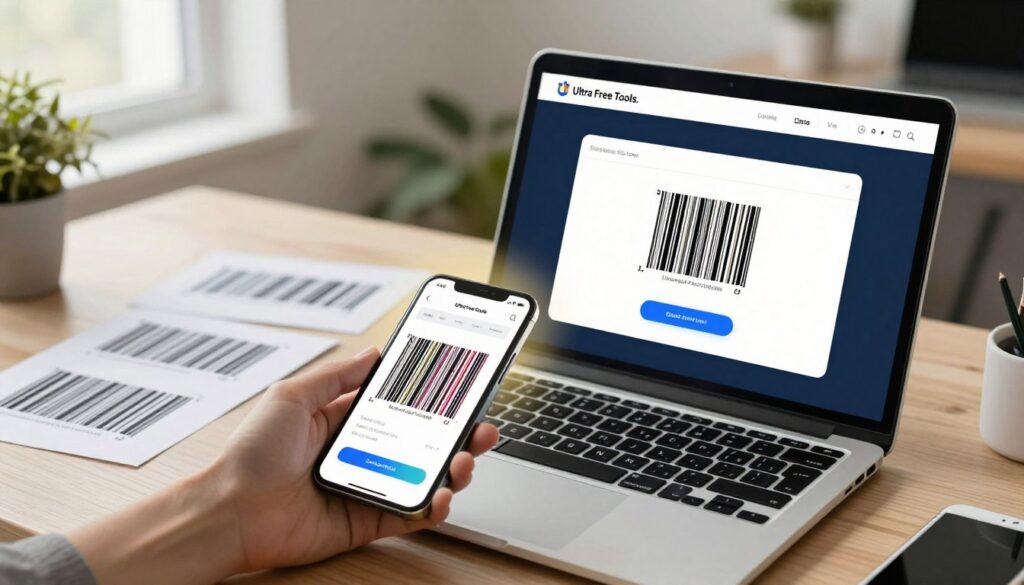
When you upload a barcode image to an online barcode reader, the tool processes the image to extract the encoded data. This process involves sophisticated algorithms that can handle images of varying quality, ensuring that the barcode data is decoded accurately.
The benefits of using an online barcode decoder include the ability to read barcode from photo online without installing any software or apps. This convenience, combined with the ability to upload barcode image and scan, makes online barcode readers a versatile solution for barcode decoding needs.
By leveraging the power of online barcode readers, users can streamline their workflow, reduce the need for physical scanners, and access decoded barcode data instantly. Whether for professional or personal use, these tools provide a straightforward and efficient way to manage barcode-related tasks.
Why Use Our Free Barcode Reader Online?
Experience the simplicity of our online barcode reader, designed to scan and decode barcodes instantly. Our tool is crafted to provide a seamless experience, making it an ideal choice for individuals and businesses alike.
Works Instantly in Your Browser
Unlike traditional barcode scanning methods that require downloading and installing software, our tool works instantly in your browser. This means you can start scanning barcodes in seconds, without the hassle of installation or updates.
No App Required for Scanning
One of the significant advantages of our barcode reader is that it eliminates the need for any app installation. Whether you’re using a desktop, laptop, or mobile device, you can access our tool directly from your browser, making it a convenient option for on-the-go scanning.
Secure and Private Processing
We understand the importance of security and privacy when it comes to scanning barcodes. Our tool ensures secure and private processing of your barcode images, giving you peace of mind that your data is protected.
The benefits of using our free barcode reader online are numerous, including:
- Instant access without the need for installations
- Compatibility with various devices and browsers
- Enhanced security and privacy for your scans
By choosing our online barcode reader, you’re opting for a convenient, secure, and efficient way to scan and decode barcodes. Whether for personal or professional use, our tool is designed to meet your barcode scanning needs effectively.
Powerful Features of Our Barcode Scanner
With our barcode scanner, you can enjoy a seamless experience thanks to its robust features tailored for efficient barcode scanning. Our tool is designed to simplify your workflow by providing advanced functionalities that make scanning and decoding barcodes a breeze.
Upload Barcode Images from Any Source
One of the standout features of our barcode scanner is the ability to upload barcode images from any source. Whether you’ve taken a photo of a barcode with your smartphone or have an image saved on your computer, you can easily upload it to our scanner. This flexibility allows you to work with barcodes from various origins, making it a versatile tool for different applications.
Instant Decoding with Type Identification
Our barcode scanner excels at instant barcode decoding, providing you with quick results. Not only does it decode the barcode, but it also identifies the barcode type, such as type 11. This feature is particularly useful for inventory management and product tracking, where knowing the barcode type is as important as the data it contains.
“The ability to instantly decode barcodes and identify their type has significantly streamlined our inventory process.” – Inventory Manager
Easy Download and Save Options
After decoding your barcode, our tool offers easy download and save options for the results. You can save the decoded data in a format that’s convenient for you, whether it’s for record-keeping, reporting, or further analysis. This feature ensures that you can seamlessly integrate the data into your existing systems or workflows.
By providing these powerful features, our barcode scanner is an indispensable tool for businesses and individuals looking to efficiently manage barcodes. Whether you’re scanning barcodes for personal use or for a large-scale operation, our tool is designed to meet your needs.
How to Use the Barcode Reader
With our free online barcode reader, you can quickly decode barcodes from images. Our tool is designed to be simple and efficient, allowing you to scan barcodes without any hassle.
Step 1: Select and Upload Your Barcode Image
The first step is to select the barcode image you want to scan. You can upload an image from your device or enter the image URL if it’s available online. Our barcode reader supports various image formats, ensuring compatibility with most barcode images.
Step 2: Automatic Scanning Begins
Once you’ve uploaded the image, our system automatically begins scanning the barcode. This process is quick and doesn’t require any technical expertise. Our advanced algorithm works to decode the barcode information accurately.
Step 3: View Decoded Information and Download
After the scanning process is complete, you’ll be able to view the decoded information from the barcode. You can then download the data for your records or further processing. Our tool provides a straightforward way to access and manage barcode data.
By following these simple steps, you can efficiently use our barcode reader to scan and decode barcodes from images. Whether you’re managing inventory, tracking products, or simply need to read a barcode, our tool is here to help.
Barcode Reader vs Mobile Scanner App
Unlike mobile barcode scanner apps, our online barcode reader offers a range of benefits that make it the preferred choice for many users. Our tool is designed to provide a seamless and efficient barcode scanning experience without the need for downloads or installations.
Instant Access Without Installation
One of the primary advantages of our online barcode reader is that it works instantly in your browser. This means you can start scanning barcodes right away without having to go through the process of downloading and installing a mobile app. This feature is particularly useful for those who need to scan barcodes occasionally or prefer not to clutter their devices with additional apps.
Works on All Devices and Platforms
Our online barcode reader is designed to be compatible with all devices and platforms. Whether you’re using a desktop computer, laptop, tablet, or smartphone, our tool will work seamlessly across different operating systems, including Windows, macOS, Android, and iOS. This cross-platform compatibility ensures that you can access our barcode reader from any device, at any time.
Process Existing Images Instead of Live Scanning
Another significant advantage of our online barcode reader is the ability to process existing images instead of relying on live scanning. This feature allows you to upload barcode images from your device or enter a URL to scan, providing flexibility and convenience. It’s particularly useful for businesses that need to scan barcodes from product packaging or inventory lists.
In conclusion, our online barcode reader offers several advantages over traditional mobile scanner apps, including instant access, cross-platform compatibility, and the ability to process existing images. These features make it an ideal solution for both personal and professional use.
Supported Barcode Types and Common Applications
Our barcode reader supports a wide range of barcode types, making it versatile for various applications. Whether you’re in retail, healthcare, or logistics, our tool can decode barcodes from images, providing you with the data you need quickly and efficiently.
1D Barcodes for Retail and Products
One-dimensional (1D) barcodes are widely used in retail for product identification and inventory management. They consist of a series of parallel lines of varying widths and are commonly found on product packaging.
- UPC (Universal Product Code): Used primarily in North America for retail products.
- EAN (European Article Number): Similar to UPC but used internationally.
- Code 39: A versatile barcode used for various applications, including inventory tracking.
These barcodes are essential for managing stock levels, tracking sales, and preventing stockouts or overstocking.
2D Barcodes for Advanced Data Storage
Two-dimensional (2D) barcodes can store more data than 1D barcodes and are used in a variety of applications beyond retail.
- QR Code: Used for marketing, product information, and mobile payments.
- Data Matrix: Often used in industrial settings for part tracking and inventory.
2D barcodes are capable of storing text, URLs, and other data, making them ideal for applications that require more detailed information storage.
Real-World Use Cases
Our browser-based barcode reader is used in various real-world scenarios, including:
- Retail inventory management
- Product tracking in manufacturing
- Healthcare for patient and medication tracking
- Logistics for package tracking
By supporting both 1D and 2D barcodes, our tool is adaptable to different industries and use cases, making it a valuable resource for businesses and organizations looking to leverage barcode technology.
Conclusion
Our free online barcode reader offers a convenient, secure, and efficient way to scan and decode barcodes from images. With instant processing, no app required, and private handling, you can trust our tool for all your barcode needs.
Whether you’re using 1D or 2D barcodes for retail, product management, or advanced data storage, our online barcode decoder free service is designed to simplify your workflow. Simply upload your barcode image, and our system will automatically scan and decode the information.
Experience the benefits of our barcode reader, including instant access without installation, compatibility with all devices and platforms, and the ability to process existing images. Try our online barcode decoder free today and discover a more efficient way to manage your barcodes.
FAQ
You can upload barcode images from any source, including JPG, PNG, and other common image formats. Our tool supports a wide range of barcode types, including 1D and 2D barcodes.
Yes, our online barcode reader is completely free to use. You can upload and scan barcode images without any cost or subscription.
Our online barcode reader ensures secure and private processing of your barcode images. We do not store or retain any uploaded images, ensuring the confidentiality of your data.
Yes, our online barcode reader is compatible with all devices and platforms, including desktops, laptops, tablets, and smartphones. You can access it instantly in your browser without any installation.
After scanning a barcode, you will get the decoded text and the type of barcode (e.g., Code 128, QR Code, etc.). You can also download the result for future reference.
Unlike mobile barcode scanner apps, our tool works instantly in your browser without requiring any installation. It also allows you to process existing images instead of live scanning, making it more versatile and convenient.
Yes, you can upload barcode images taken with your smartphone or any other device to our online barcode reader and scan them instantly.
While our online barcode reader can handle a wide range of image sizes and qualities, it’s recommended to upload clear and high-quality images for accurate scanning results.