
PDF Splitter
A quick and safe way to divide big PDF files into smaller ones is with Online PDF Splitter Tool. You have the option to save individual pages or choose particular pages and combine them into a single PDF.
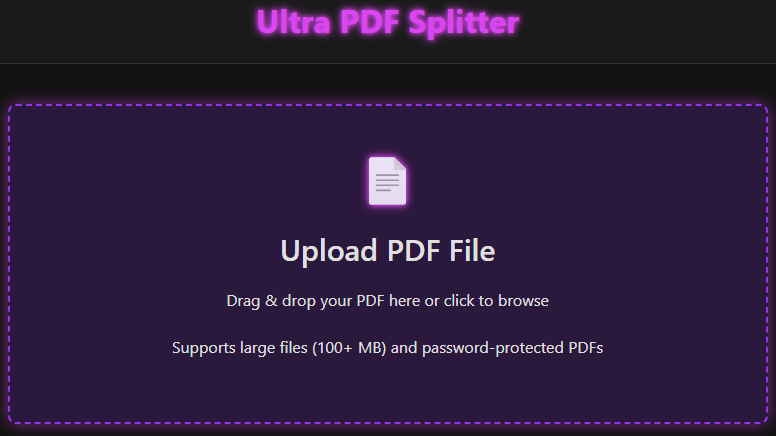
Ultra PDF Splitter
Upload PDF File
Drag & drop your PDF here or click to browse
Supports large files (100+ MB) and password-protected PDFs
Click on thumbnails to select pages manually. You can also use keyboard shortcuts:
- Ctrl+A - Select all pages
- Ctrl+D - Deselect all pages
- Ctrl+Z - Undo last selection
Checking for bookmarks...
Export Options
Processing...
0%
Ultra PDF Splitter - Help
Getting Started
Upload a PDF file using the file picker or by dragging and dropping it onto the upload area.
Selecting Pages
- Manual Selection: Click on thumbnails to select individual pages
- Page Range: Enter ranges like "1-5, 7-10" to select specific pages
- Odd/Even Pages: Select all odd or even numbered pages
- Custom Sets: Create custom sets of pages separated by semicolons
- Every Nth Page: Extract every Nth page starting from a specific page
- By Bookmarks: Split the PDF based on bookmark sections (if available)
- Equal Parts: Split the PDF into a specified number of equal parts
Keyboard Shortcuts
- Ctrl+A - Select all pages
- Ctrl+D - Deselect all pages
- Ctrl+Z - Undo last selection
Exporting
- Download Individual Files: Download each selected page as a separate PDF
- Download Selected Pages as One PDF: Combine all selected pages into a single PDF
- Download as ZIP: Download all selected pages as a single ZIP file
- Rename Files: Customize the names of the output files before downloading
- Preview Split: Preview how the PDF will be split before exporting
Privacy
All processing happens in your browser. Your files are never uploaded to any server.
Password Protected PDF
This PDF is password protected. Please enter the password to unlock it.
Rename Output Files
Customize the names for each split file:
What is Ultra PDF Splitter?
Ultra PDF Splitter is a free online tool that allows you to divide a PDF document into smaller files quickly and easily. Whether you need to extract specific pages, separate chapters, or split large documents into manageable sections, the tool provides a simple and efficient solution. With support for large PDF files and browser-based processing, Ultra PDF Splitter helps you organize your documents without installing any software.
How to Use
- Upload your PDF file.
- Select the pages or page ranges you want to extract.
- Choose your preferred split options.
- Click the Split PDF button.
- Download the generated PDF files instantly.
Common Uses
- Students extracting chapters from eBooks
- Teachers organizing study materials
- Businesses separating reports and invoices
- Legal professionals managing document sections
- Researchers extracting specific pages
Key Features of PDF Splitter
Split PDF Files Easily
Page Selection Options
Support for Large PDF Files
Password-Protected PDF Support
Fast Processing
Easy Drag-and-Drop Upload
Browser-Based Tool
Privacy-Focused Processing
Why Use Our PDF Splitter?
Our PDF Splitter makes it easy to separate large PDF files into smaller documents without losing quality. With support for page selection, large files, and secure browser-based processing, it offers a fast and convenient way to organize PDF documents while keeping your workflow simple.
Frequently Asked Questions
Yes! Our online pdf splitter is completely free to use, requires no signup, and adds no watermark to your documents. You can extract pages from pdf or divide pdf into parts as often as you need without hitting a paywall.
Our advanced pdf splitter tool features a fast processing engine that supports large pdfs (100mb+). You can simply use the drag & drop pdf upload or click to browse files from your desktop, tablet, or mobile device to start the process instantly.
Absolutely. When you extract selected pages from pdf using our tool, we ensure you split pdf without losing quality. The resolution, fonts, and formatting remain identical to the original file, making it the best pdf splitter website for high-quality documents.
Absolutely. When you extract selected pages from pdf using our tool, we ensure you split pdf without losing quality. The resolution, fonts, and formatting remain identical to the original file, making it the best pdf splitter website for high-quality documents.
We offer multiple powerful page selection options for total control. You can use manual page selection by clicking visual thumbnails, enter a page range selection (like 1–5, 10–15), or perform an odd/even page split. For more complex tasks, you can even extract every nth page or create custom page sets to generate multiple PDFs at once.