
Free Hash Generator
Online Hash Generator: Generate, compare, and verify hashes (MD5, SHA1, SHA256, SHA512) from text or files up to 50MB. Features include salt, real-time stats, comparison chart, export (TXT, PDF, JSON, CSV), history, themes, drag and drop, and clipboard copy.
Generated Hashes
Hash Length Comparison
📄 Download Report
📎 Compare Hashes
🔍 Verify Hash
⏳ History
What is a Hash Function?
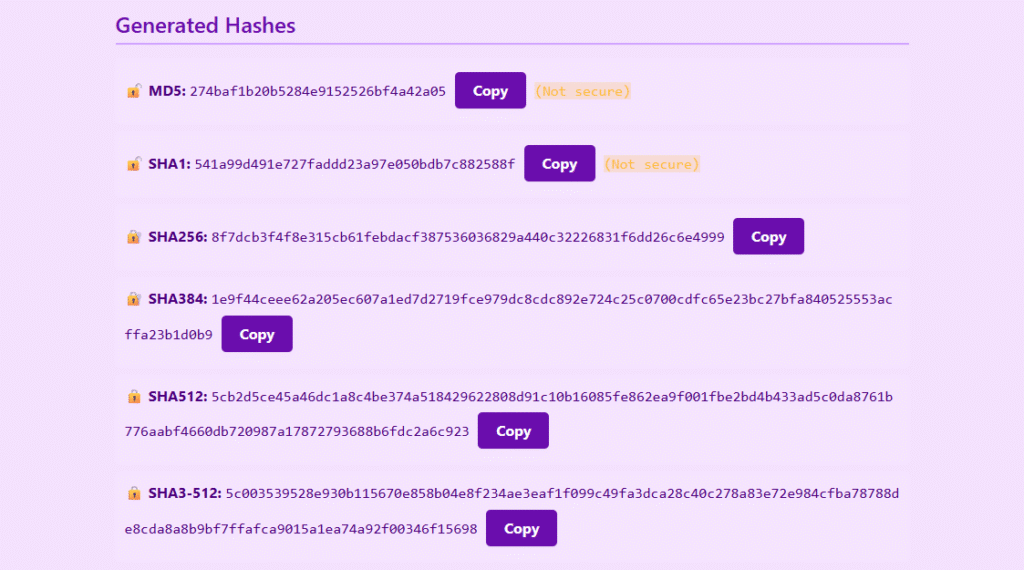
A hash function is a mathematical algorithm that takes data and converts it into a fixed-length string of characters, known as a hash value or digest. If you change your original data even a little bit, you will get a completely different hash. Hash functions are very useful for data verification and security.
How to Use the Hash Generator
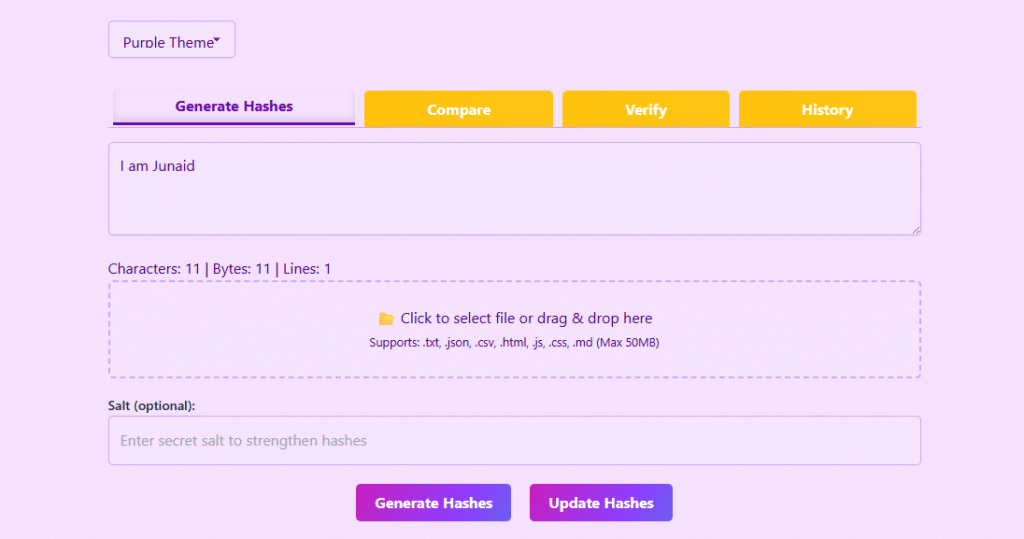
1. Enter Text
Enter text into the input area or upload a supported file.
2. Optionally Add a Salt Value
Optionally add a salt value for stronger hashing.
3. Click Generate
Click Generate Hashes.
4. View the Generated Hash Values
View the generated hash values for all supported algorithms.
5. Copy, Compare & Verify
Copy, compare, verify, or export the results as needed.
Features of This Hash Generator
- Generate MD5 hashes
- Generate SHA-1 hashes
- Generate SHA-256 hashes
- Generate SHA-384 hashes
- Generate SHA-512 hashes
- Generate SHA3-512 hashes
- Optional hash salting for enhanced security
- Drag & drop file support
- Text and file hashing
- Hash comparison tool
- Hash verification tool
- Character, byte, and line statistics
- Hash length visualization chart
- Local history management
- Export reports as TXT, PDF, JSON, and CSV
- Browser-based processing for privacy
Supported File Types
- TXT
- JSON
- CSV
- HTML
- JavaScript (JS)
- CSS
- Markdown (MD)
Maximum supported file size: 50 MB
Compare Hashes
Compare feature lets you quickly see if two hash values are the same. This is useful for checking data consistency from systems or files.
Verify File Integrity
The Verify feature checks a file’s generated hash against an expected hash value. This helps to make sure that the file has not been changed, corrupted, or tampered with.
Why Use Our Hash Generator?
Unlike many basic online tools, this utility combines multiple hashing algorithms, file support, hash verification, comparison tools, reporting features, and visual analytics into a single interface.
Frequently Asked Questions
A hash generator is a tool that creates a unique digital fingerprint (hash) of a given input, such as text or a file, using various algorithms like MD5, SHA256, and SHA512.
MD5 is a 128-bit hash algorithm that is fast but considered insecure due to its vulnerability to collisions and attacks. SHA256 is a 256-bit hash algorithm that is widely used and considered secure for cryptographic purposes, such as in blockchain and SSL certificates.
Salting adds a secret value to the input before hashing, protecting against rainbow table attacks and increasing password security. This is a best practice in password hashing to prevent attackers from using precomputed tables of hashes.
The choice of hash algorithm depends on your project’s security requirements. For high-security applications, use SHA256, SHA384, or SHA512. Avoid using MD5 and SHA1 for security purposes due to their known vulnerabilities.
Yes, our hash generator tool supports file hashing up to 50MB. You can upload or drag and drop files in various formats, including .txt, .json, .csv, .html, .js, .css, and .md.