Text Editor
Online Text Editor, A free online tool to write, edit, and format text instantly. Includes essential editing features for clean, error free, and ready to use text. Fully browser based with no installation required.
Upload Image
Upload Text File
Insert Link
Insert Table
Export Document
Theme Settings
Background Settings
Document Statistics
Lorem Ipsum Generator
Random Quotes
Word Frequency
Keyword Highlight
What is Ultra Text Editor?
Ultra Text Editor is a tool for writing and editing text online. You can use it to create, edit, and format your text documents in your browser. This means you can write notes, draft articles, create reports, and do your assignments all in one place. Ultra Text Editor gives you a quiet space to work with lots of formatting options. You do not need to install any software. Just open it and start writing with the Ultra Text Editor.
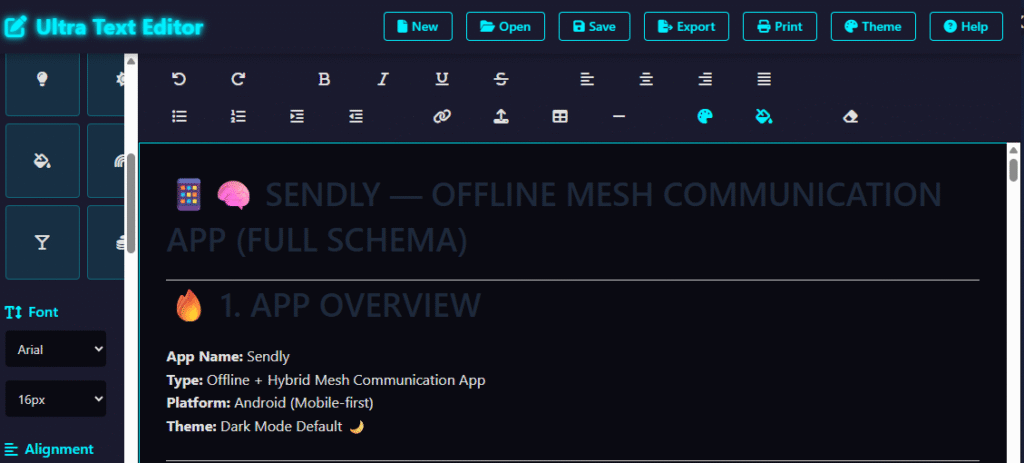
Key Features of Text Editor
✍️ Rich Text Formatting
🎨 Advanced Text Styling
📋 Lists & Organization Tools
🔤 Font & Typography Controls
🖼️ Insert Content Easily
🌙 Theme Support
💾 Save & Export Options
🖨️ Print-Ready Documents
✍️ Rich Text Formatting
How to Use
- Open the editor and start typing.
- Use the formatting tools to customize your text.
- Add lists, headings, colors, and other styling options.
- Save, export, or print your document when finished.
- Continue editing anytime as needed.
Common Uses
- Writing articles and blog posts
- Taking notes and creating documents
- School assignments and projects
- Drafting reports and proposals
- Editing website content
- Content creation and planning
- Personal writing and journaling
Frequently Asked Questions
Yes, it is! Our free text editor online provides full access to all features without any hidden subscription fees or locked content. It is designed to be a free writing tool online that anyone can use, from students working on essays to professionals drafting reports in a lightweight online document editor environment.
Not at all. This is a 100% web-based text editor, meaning it runs directly in your browser, like Google Chrome, Safari, or Mozilla Firefox. There is no need for bulky downloads, making it a perfect quick text editing tool for users who need to write on the go without the overhead of traditional software like Microsoft Word.
Absolutely! This online writing editor with word counter provides real-time statistics, including character counts and estimated reading times. This makes it the best free online text editor for writing for those who need to stick to strict word counts, such as journalists or students submitting academic papers.
Absolutely! This online writing editor with word counter provides real-time statistics , including character counts and estimated reading times. This makes it the best free online text editor for writing for those who need to stick to strict word counts , such as journalists or students submitting academic papers.
Once you finish your work in our online document editor, you can export your file in several popular formats. We support PDF, DOCX, and TEXT exports. Additionally, for web developers and technical writers, this free browser-based document editor tool offers support for HTML and Markdown formats.