
Image to PDF Converter
Online Image to PDF Converter , Quickly turn multiple images into professional, high quality PDFs right in your browser. Enjoy drag and drop uploads, reordering, cropping, resizing, watermarking, compression, and custom page sizes/orientations. 100% private, fast, and fully mobile friendly for a smooth experience anywhere.
Image to PDF Converter – Convert JPG, PNG to PDF Online (100% Private)
Managing your digital photos is easy with this helpful tool. This system handles your graphic files without any outside interference. Your private security is certain since the processing happens within your browser.
Your data remains safe throughout the entire session. You can enjoy a smooth workflow every day.
Do you require a free utility for your standard graphics? This Converter ensures your snapshots maintain quality during the change. Start your professional project today.
Get results without downloading bulky software or apps. Everything stays light and fast for you.
Key Takeaways
- Absolute privacy for every file uploaded here.
- Quick processing inside your personal browser window now.
- No sign-up or hidden costs for regular users.
- Works with many different picture formats easily.
- High-quality document output every single time you use it.
- Simple interface designed for fast results for everyone.
What Makes This Image to PDF Converter Different
Our Image to PDF Converter is designed with two core principles in mind: ensuring utmost privacy for our users and providing professional-grade conversion features.
Privacy-First Approach to Image Conversion
We understand the importance of data privacy in today’s digital landscape. That’s why our converter is built with a 100% private processing mechanism, ensuring that your images are converted to PDF without being stored or tracked in any way. This means you can convert your images with the confidence that your data remains secure and private.
Our commitment to privacy is reflected in our strict no-data storage policy. Unlike many other converters, we do not store or track your files, providing an additional layer of security for sensitive information.
Professional-Grade Features for Every User
Beyond privacy, our Image to PDF Converter also boasts professional-grade features that cater to a wide range of users, from professionals to individuals. With advanced PDF settings, you have complete control over the conversion process, allowing for customized outputs that meet your specific needs.
| Feature | Description | Benefit |
|---|---|---|
| 100% Private Processing | Images are converted locally on your device. | Ensures data privacy and security. |
| Advanced PDF Settings | Customize PDF outputs with various settings. | Provides professional-grade control over the conversion process. |
| No Data Storage | Files are not stored or tracked. | Enhances security for sensitive information. |
Advanced PDF Settings and Professional Control with Our Image to PDF Converter
Take control of your PDF output with our comprehensive settings options. Our Image to PDF Converter is designed to provide you with the flexibility and precision needed for various applications, from professional printing to web publishing.
Page Size and Orientation Options
Customize your PDF output to fit your needs with our versatile page size and orientation settings.
Standard Formats: A4, Letter, and More
Choose from a variety of standard page sizes, including A4 and Letter, to ensure compatibility with different regional standards and printing requirements.
Portrait and Landscape Modes
Switch between portrait and landscape modes to suit your content’s orientation, providing a more flexible and user-friendly experience.
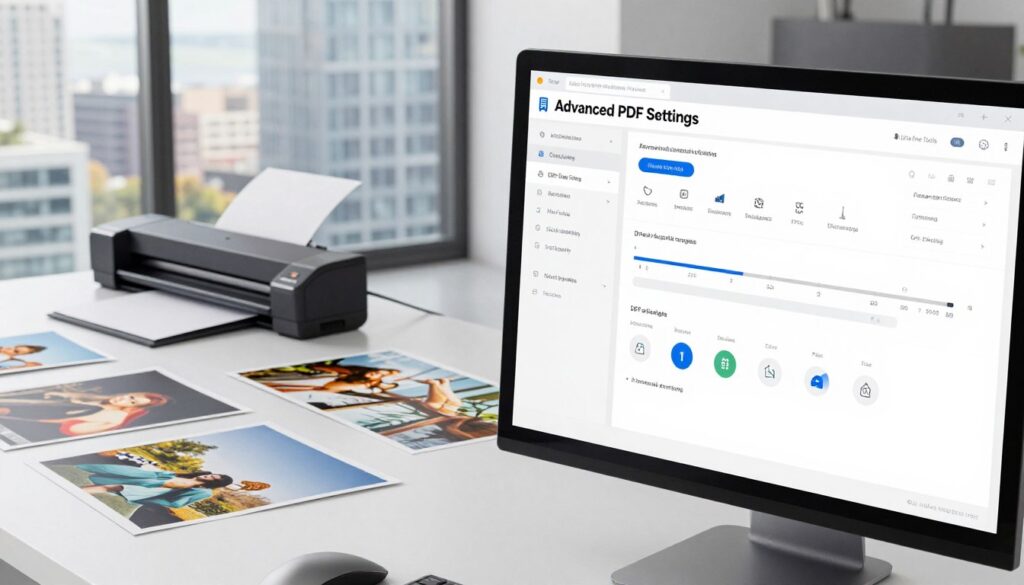
Image Scaling, Alignment, and Quality
Fine-tune your images within the PDF with our advanced scaling, alignment, and quality control features.
Fit to Page and Aspect Ratio Controls
Use our fit to page option to automatically adjust your images to the selected page size while maintaining the aspect ratio to prevent distortion.
Center, Top, Bottom, and Custom Positioning
Align your images with precision using our alignment options, including center, top, bottom, and custom positioning for more specific layouts.
Adjustable Compression: 75% Default to High Quality
Control the image quality by adjusting the compression level, with a default setting of 75% for a balance between quality and file size.
DPI Resolution and Color Management
Optimize your PDF for different outputs by adjusting the DPI resolution and color mode.
300 DPI for Print-Ready Documents
Set the resolution to 300 DPI for high-quality, print-ready documents that meet professional standards.
Optimized DPI Settings for Web and Email
For digital use, adjust the DPI to a lower setting to reduce file size, making it more suitable for web and email sharing.
Color Mode Options for Different Outputs
Choose the appropriate color mode for your PDF, whether it’s for printing or digital display, to ensure the best possible output.
Advanced Features: Watermarks, Metadata, and Transparency
Enhance your PDFs with our advanced features, including watermarks, metadata preservation, and transparency handling.
Add Custom Watermarks for Branding and Protection
Add watermarks to your PDFs for branding purposes or to protect your intellectual property.
Preserve EXIF Metadata
Ensure that your PDFs retain the original EXIF metadata from your images, providing valuable information about the image source and settings.
Flatten Transparency for PNG Files
For PNG files with transparency, use our flatten transparency feature to ensure compatibility with different PDF viewers and printers.
Quick Setup with Preset PDF Profiles
Streamline your workflow with our Image to PDF Converter’s preset PDF profiles, designed to save you time and effort. These profiles allow you to quickly configure your PDF settings according to your specific needs, whether it’s for professional printing, emailing, or web use.
Our Image to PDF Converter comes equipped with a variety of preset profiles that cater to different requirements. These profiles are designed to help you achieve the desired output without having to manually adjust multiple settings.
High Quality Profile for Professional Printing
The High Quality Profile is ideal for users who need their PDFs to be of the highest quality, particularly for professional printing purposes. This profile ensures that your images are converted with the maximum possible resolution and quality, making it perfect for printing photos, graphics, or any other high-resolution images.
Email Size and Web Optimized Profiles
For users who need to share their PDFs via email or publish them online, our Email Size and Web Optimized profiles are the perfect solutions. These profiles reduce the file size of your PDFs while maintaining acceptable quality, making them easier to share and upload.
Print Ready Configuration
The Print Ready Configuration profile is designed for users who require their PDFs to be ready for printing. This profile ensures that your PDFs are properly formatted and optimized for printing, saving you time and effort in preparing your documents.
To illustrate the differences between these profiles, here’s a comparison table:
| Profile | Quality | File Size | Best For |
|---|---|---|---|
| High Quality | Maximum | Large | Professional Printing |
| Email Size | Medium | Small | Emailing and Sharing |
| Web Optimized | Medium | Small | Web Publishing |
| Print Ready | High | Medium | Printing |
By using these preset PDF profiles, you can significantly save time and ensure that your PDFs are always optimized for their intended use. Whether you’re a professional looking for high-quality prints or an individual looking to share images online, our Image to PDF Converter has got you covered.
Unique Session Management Features
Efficiently managing repeated PDF tasks is now possible with our Image to PDF Converter’s innovative session management features. This functionality is particularly beneficial for businesses and professionals who regularly deal with bulk document preparation.
Save and Load Your Custom Settings
With the ability to save and load custom settings, you can maintain consistency across your PDF documents. This feature is especially useful for businesses that require standardized PDF outputs. By saving your preferred settings, you can quickly apply them to future conversions, saving time and reducing the risk of errors.
Export and Import Configurations
Our Image to PDF Converter allows you to export your configurations and import them as needed. This flexibility is invaluable for teams working on collaborative projects, ensuring that everyone is on the same page. You can easily share your settings with colleagues or apply them across different projects.
Streamline Repeated PDF Tasks
By leveraging the session management features, you can significantly streamline your workflow. The table below highlights how these features can benefit your PDF conversion tasks:
| Feature | Benefit |
|---|---|
| Save Custom Settings | Consistency across PDF documents |
| Export/Import Configurations | Easy collaboration and standardization |
| Load Saved Sessions | Time-saving and reduced errors |
By utilizing these session management features, businesses and professionals can enhance their productivity and efficiency when dealing with repeated PDF tasks. Whether you’re preparing bulk documents or working on complex projects, our Image to PDF Converter is designed to support your needs.
100% Private Processing – Your Images Never Leave Your Device
We understand the importance of privacy, which is why our tool processes your images locally on your device. This means that your sensitive information is never exposed to the risk of being intercepted or stored on external servers.
How Local Browser Processing Works
Our Image to PDF Converter utilizes advanced browser technology to convert your images directly within your browser. This local processing ensures that your files are not transmitted over the internet, maintaining the confidentiality and integrity of your data.
The process is straightforward: you upload your images to the converter within your browser, and the conversion happens locally. This approach not only enhances security but also allows for a faster conversion process since it doesn’t rely on server response times.
No File Uploads, No Data Storage, No Tracking
Unlike many online tools, our Image to PDF Converter does not require you to upload your files to our servers. This eliminates the risk associated with data breaches and unauthorized access. Moreover, we do not store or track any of your data, ensuring your privacy is fully respected.
To further emphasize our commitment to privacy, here’s a comparison of our privacy features:
| Feature | Our Converter | Typical Online Converters |
|---|---|---|
| File Upload to Server | No | Yes |
| Data Storage | No | Yes |
| User Tracking | No | Yes |
Preview Before Generating Your PDF
Before you generate your PDF, you have the option to preview your document. This feature allows you to review the layout, ensure the images are correctly aligned, and make any necessary adjustments. Once you’re satisfied, you can proceed to generate your PDF, all within the safety of your browser.
By processing your images locally and not storing or tracking your data, our Image to PDF Converter provides a fully secure and private solution for your document conversion needs.
Who Should Use This Image to PDF Converter
The versatility of our Image to PDF Converter makes it an essential tool for various professionals and individuals alike. This tool is not just limited to one specific group; its wide range of features and functionalities makes it useful for many different types of users.
Perfect for Business Professionals and Legal Work
Business professionals and legal professionals can greatly benefit from using our Image to PDF Converter. The tool allows for the creation of professional-grade PDFs that are perfect for reports, proposals, and legal documents. With features like watermarking and metadata management, users can ensure their documents are secure and properly attributed.
For instance, a business owner can use the converter to create a comprehensive report by combining images of product prototypes, market research data, and other relevant documents into a single PDF. Legal professionals can use it to organize and present evidence or legal documents in a clear and concise manner.
Ideal for Students, Teachers, and Photographers
Students and teachers can use the Image to PDF Converter to digitize notes, readings, and assignments. Photographers can convert their images into PDFs for easy sharing or archiving. The tool’s ability to adjust image quality and DPI makes it ideal for creating high-quality PDFs that are suitable for printing or digital sharing.
For example, a student can convert their handwritten notes into PDFs and share them with classmates or store them digitally. Teachers can create PDF handouts or reading materials by converting images of textbook pages or educational resources.
Great for Office Workers and Designers
Office workers can streamline their workflow by using the converter to create PDFs from various image formats. Designers can benefit from the advanced features such as page size and orientation options, image scaling, and color management, allowing them to create visually appealing PDFs that meet their design requirements.
Office workers can use the tool to quickly convert scanned documents or images into PDFs that can be easily shared or stored. Designers can utilize the converter’s advanced features to create PDFs that are tailored to their specific design needs, such as brochures, portfolios, or marketing materials.
Conclusion
With the Image to PDF Converter, you can easily generate & download pdf files while maintaining the highest quality. This tool allows you to convert multiple images to pdf with advanced settings, making it ideal for various applications.
Whether you need to create a high-quality jpg to pdf online for professional printing or a compact pdf for emailing, our image to pdf converter with settings has got you covered. The tool’s privacy-first approach ensures that your images are processed locally on your device, eliminating the need for file uploads or data storage.
Experience the convenience and flexibility of our Image to PDF Converter by trying it out today. With its user-friendly interface and advanced features, you can efficiently create high-quality pdfs that meet your specific needs.
FAQ
Yes, absolutely! Our tool offers 100% private processing because it works directly in your local browser. Unlike a typical convert image to pdf online service that requires you to upload files to a remote server, your images never leave your device. This ensures that no data is stored and there is no tracking, making it a perfectly private image to pdf converter for sensitive business documentation and legal professionals
You certainly can. Our free image to pdf tool allows you to convert multiple images to pdf in a single session. Whether you are using it as a jpg to pdf converter or a png to pdf converter, you can bulk-upload your files and organize them before generating your final document.
Our converter includes powerful pdf configuration options to give you professional control. You can adjust the 📄 page size (choosing from A4 or other preset sizes), set the 📐 page orientation to portrait or landscape, and use 🖼️ scaling mode features like fit to page or maintain aspect ratio. You can also manage 🎯 image alignment with center or custom positioning to ensure your reports look clean.
To get the best results, you can use our 🧪 image quality control settings. You can stick with the 75% default for standard use or choose high quality for professional printing. For those needing specific resolution, you can set custom dpi such as image to pdf 300 dpi (print ready) or a lower DPI for web optimized files and email size attachments.
Yes, you can 💧 add watermark text to your documents. This is an essential feature for branding, copyright protection, or marking confidential documents. It is particularly perfect for photographers and designers who need to share proofs with clients safely.
We offer the option to 🧾 preserve exif metadata, which is ideal for photographers and professionals who need to keep original image data intact within the PDF. Additionally, for those using transparent png files, our tool can 🧱 flatten transparency to ensure the output is consistent and professional.
Our unique session management feature allows you to save session or load session data. You can also export settings and import settings later. This is extremely useful for businesses and office workers who perform repeated pdf tasks and want to maintain a consistent look across bulk document preparation without re-configuring settings every time.
Yes! To save time with ready-made profiles, you can quickly select ✔ high quality, ✔ email size, ✔ web optimized, or ✔ print ready configurations. These preset profiles automatically adjust the color mode, compression, and DPI / resolution control for your specific needs
Definitely. You can 👀 preview before generating your PDF. This allows you to check the page size, image alignment, and layout to avoid mistakes and save time. Once you are happy with the layout, simply click generate pdf and download instantly.
This tool is perfect for a wide range of users, including students, teachers, office workers, and business owners. Because of the high quality jpg to pdf online capabilities and 300 dpi options, it is also a favorite for photographers and designers who require optimized output for their portfolios or client deliverables.