
QR Code Reader
Online QR Code Reader – Quickly decode any QR code online by simply uploading an image. Fast, secure, and 100% browser-based tool with no downloads required. Works perfectly on both desktop and mobile devices.
QR Code Reader Tool
Upload and Scan QR Codes
Drag & Drop your images here
or click to browse (JPEG, PNG, GIF, BMP)
Image Preview
QR Code Data
Free QR Code Reader Online – Scan & Decode QR Codes from Image Instantly
Discover the convenience of our Free QR Code Reader Online tool, designed to scan and decode QR codes from images instantly. This service is perfect for individuals and businesses looking to quickly access information stored in QR codes without the need for additional software or apps.
With our qr code scanner from image, you can upload your QR code image and scan it in seconds. Our tool provides a seamless and efficient way to decode QR codes, making it an essential resource for anyone looking to harness the power of QR technology.
Key Takeaways
- Scan QR codes from images instantly with our online tool.
- No additional software or apps are required.
- Perfect for individuals and businesses alike.
- Quickly access information stored in QR codes.
- Seamless and efficient QR code decoding.
What is an Online QR Code Reader?
Our online QR code decoder tool allows users to scan and decode QR codes by simply uploading an image. Unlike traditional QR code scanners that require a smartphone camera, our online QR code reader works directly in your browser, making it accessible from any device with an internet connection.
This eliminates the need for app installations and ensures compatibility across different operating systems. With our qr code scanner without app, you can decode QR codes quickly and efficiently.
- Convenience: Access it from any device with a web browser.
- Compatibility: Works across various operating systems without the need for specific apps.
- Ease of use: Simply upload your QR code image and get the decoded information.
By utilizing our online QR code decoder, you can easily extract data from QR codes without the hassle of downloading additional software or apps. This makes it an ideal solution for individuals and businesses alike who need to decode QR codes regularly.
How to Scan QR Codes from Images in 3 Simple Steps
Scanning QR codes from images is now easier than ever with our online tool. This process involves just three straightforward steps, making it accessible to everyone.
Step 1: Upload Your QR Code Image
To begin, you need to upload the QR code image to our tool. This can be done in two convenient ways:
Drag and Drop or Browse Files
Our tool supports drag & drop functionality, allowing you to simply drag your QR code image into the upload area. Alternatively, you can browse through your files and select the image you want to upload.
Supported Image Formats
We support a variety of image formats, including JPEG, PNG, GIF, and BMP. This means you can upload most image types without worrying about compatibility issues.
Step 2: Automatic Decoding Process
Once you’ve uploaded your QR code image, our system takes over. It automatically decodes the QR code, extracting the information stored within. This process is quick and efficient, providing you with the data you need without delay.
Step 3: View, Copy, or Export Results
After the decoding process is complete, you can view the decoded data directly on our platform. You also have the option to copy the data for immediate use or export it in formats like TXT or JSON for further processing or record-keeping.
| Step | Description | Key Features |
|---|---|---|
| 1 | Upload QR Code Image | Drag & Drop, Multiple Image Formats |
| 2 | Automatic Decoding | Quick and Efficient |
| 3 | View, Copy, or Export Results | TXT and JSON Export Options |
Powerful Features of Our Free QR Code Reader
Our free QR code reader is packed with features that make scanning QR codes a breeze. With a user-friendly interface and advanced functionality, it’s designed to streamline your QR code scanning experience.
Easy Drag & Drop Image Upload
Uploading your QR code image is simple with our drag-and-drop feature. Just drag your image into the designated area, and our tool will take care of the rest. This feature eliminates the need for complicated file navigation, making the process quick and effortless.
Support for Multiple Image Formats
Our QR code reader supports a variety of image formats, ensuring that you can scan QR codes from different sources without worrying about compatibility issues.
JPEG and PNG Support
We support JPEG and PNG formats, which are among the most commonly used image types. Whether you’ve taken a photo with your smartphone or saved an image from the web, our tool can handle it.
GIF and BMP Compatibility
In addition to JPEG and PNG, our tool is also compatible with GIF and BMP formats. This broad compatibility ensures that you can scan QR codes from a wide range of images.
Detailed QR Code Type and Content Display
Once you’ve uploaded your QR code image, our tool will not only decode the QR code but also display the type and content of the QR code. This feature helps you understand what information the QR code contains, whether it’s a URL, text, or other data.
| Feature | Description | Benefit |
|---|---|---|
| One-Click Copy Decoded Data | Copy the decoded data with a single click. | Saves time and reduces effort. |
| Export Options: TXT and JSON Formats | Export decoded data in TXT or JSON formats. | Allows for easy integration with other tools and systems. |
| Secure Browser-Based Processing | All processing is done securely within your browser. | Ensures the privacy and security of your data. |
One-Click Copy Decoded Data
With our tool, you can copy the decoded data with just one click. This feature is particularly useful when you need to use the information contained in the QR code elsewhere.
Export Options: TXT and JSON Formats
Our QR code reader allows you to export the decoded data in either TXT or JSON formats. This flexibility makes it easy to integrate the data into your workflow or use it with other applications.
Secure Browser-Based Processing
We prioritize the security of your data. All processing is done directly in your browser, ensuring that your information remains private and secure.
Why Use Our QR Code Reader?
Our QR code reader offers a seamless and hassle-free way to scan QR codes directly in your browser. With its robust features and user-friendly interface, it’s the perfect solution for anyone looking to decode QR codes quickly and efficiently.
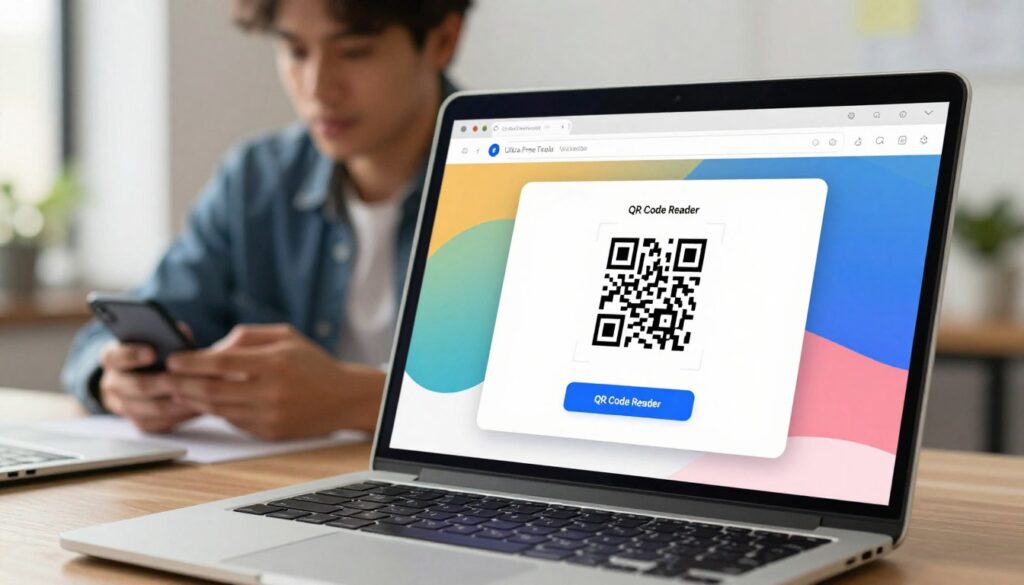
No App Installation Required
One of the key advantages of our QR code reader is that it doesn’t require any app installation. This means you can access it from any device with a web browser, without the need to download or install additional software.
Works Directly in Your Browser
Our QR code reader works directly in your browser, making it a convenient option for users. Simply upload your QR code image, and our tool will take care of the rest.
100% Free with Unlimited Scans
We’re proud to offer our QR code reader completely free of charge, with no limits on the number of scans you can perform. Whether you’re a casual user or a business, our tool is available to you without any cost or commitment.
Fast and Accurate Decoding
Our QR code reader uses advanced technology to ensure fast and accurate decoding of QR codes. This means you can trust the results and get the information you need quickly and reliably.
By choosing our QR code reader, you’re opting for a convenient, free, and accurate solution that meets your QR code scanning needs. Whether you’re looking to scan QR codes for personal or professional use, our tool is designed to make the process as smooth as possible.
Who Should Use This Online QR Code Decoder Tool?
Whether you’re a business owner, a student, or simply someone without a smartphone camera, our QR code decoder can be incredibly useful. Our online QR code decoder tool is designed to serve a wide range of users, making it a valuable resource in various contexts.

Business Owners and Marketing Teams
For business owners and marketing teams, our QR code reader is an invaluable tool for analyzing QR code campaigns. It allows you to scan QR codes from images, providing insights into customer engagement and campaign effectiveness. By using our tool, businesses can easily track the performance of their QR code-based marketing strategies.
Graphic Designers and Print Professionals
Graphic designers and print professionals can benefit from our QR code decoder by verifying QR codes before printing materials. This ensures that the QR codes are functional and direct users to the intended content, enhancing the overall quality of printed materials.
Students and Teachers
Students and teachers can utilize our online QR code reader for educational purposes. It can be used to create interactive learning materials or to decode QR codes used in educational projects, making learning more engaging and interactive.
Remote Workers and Digital Professionals
For remote workers and digital professionals, our QR code decoder offers convenience and flexibility. It allows them to scan QR codes from images on their computers, eliminating the need for a smartphone camera and streamlining their workflow.
Anyone Without a Smartphone Camera
Anyone without access to a smartphone camera can also benefit from our online QR code reader. This includes individuals who use older phones or those who prefer not to use their mobile device’s camera for scanning QR codes. Our tool provides an alternative solution, making QR code scanning accessible to everyone.
QR Code Scanner Without App: Benefits of Browser-Based Tools
Browser-based QR code scanners offer a range of benefits that make them superior to traditional app-based scanners. One of the primary advantages is the convenience they offer.
Instant Access Without Downloads
With a browser-based QR code scanner, you can start scanning QR codes instantly without the need to download and install any software. This is particularly useful when you encounter a QR code on a public device or a device you don’t use frequently.
Works on Any Device with a Browser
Whether you’re using a desktop, laptop, tablet, or smartphone, as long as the device has a web browser, you can use our QR code scanner. This versatility makes it an ideal tool for various situations and environments.
Key benefits of using a browser-based QR code scanner include:
- Universal compatibility with devices that have a web browser
- No need for additional storage space on your device
- Enhanced privacy and security due to local processing
No Storage Space Required
Since our QR code scanner operates within your web browser, it doesn’t occupy any storage space on your device. This is particularly beneficial for devices with limited storage capacity.
Enhanced Privacy and Security
Processing QR codes within the browser enhances privacy and security as the data doesn’t need to be transmitted to external servers for processing. This reduces the risk of data breaches and ensures that your information remains confidential.
By utilizing a browser-based QR code scanner, you can enjoy a seamless and secure QR code scanning experience. This makes it an attractive option for individuals and businesses looking for a convenient and reliable QR code scanning solution.
Practical Use Cases for Scanning QR Codes from Photos
With the ability to scan QR codes from images, users can unlock a range of benefits that enhance their daily activities. This feature is particularly useful in various scenarios where direct scanning with a camera is not feasible or convenient.
Read QR Codes from Screenshots
Many times, we capture screenshots of QR codes displayed on our screens, whether it’s on a website, a digital billboard, or a mobile app. Our QR code reader allows you to easily read these QR codes from your saved screenshots, eliminating the need to re-scan them with your camera.
Decode QR Codes from Email Attachments
QR codes are often shared via email as attachments or embedded within the email content. With our tool, you can directly upload these email attachments and decode the QR codes without having to save them to your device first.
Verify QR Codes Before Printing Materials
For businesses and marketers, verifying the functionality of QR codes before printing them on materials is crucial. Our QR code reader enables you to test QR codes from digital designs or proofs, ensuring they work as intended before mass production.
Extract Data from Saved JPG or PNG Files
If you have QR code images saved on your device in JPG or PNG format, our tool makes it easy to extract the encoded data. This is particularly useful for archived documents or when you need to revisit the information stored in a QR code.
Scan QR Codes When Camera Access is Limited
In situations where using a camera to scan a QR code is not possible, such as in low-light environments or when the camera is malfunctioning, our QR code reader provides an alternative solution. You can scan QR codes from images, ensuring continuity and convenience.
These practical use cases demonstrate the flexibility and utility of our QR code reader tool. By enabling users to scan QR codes from photos, we cater to a wide range of needs and scenarios, making our tool an essential resource for various users.
Conclusion
Our free online QR code reader is a powerful tool designed to simplify the process of scanning and decoding QR codes from images. With its user-friendly interface and advanced features, it’s an ideal solution for both personal and professional use.
Using our online QR code decoder tool, you can quickly and accurately decode QR codes in various image formats. Whether you’re a business owner, marketer, or simply someone who wants to access information stored in QR codes, our free qr code reader online is the perfect solution.
By providing a fast, secure, and easy-to-use qr code reader, we empower you to extract valuable data from QR codes without the need for app installations or complicated processes. Try our online QR code decoder tool today and discover the convenience of accessing QR code information directly in your browser.
FAQ
An online QR code reader is a web-based tool that decodes QR codes by uploading an image of the QR code. It works directly in your browser, eliminating the need for app installations and ensuring compatibility across different operating systems.
To scan a QR code from an image, simply upload your QR code image by dragging and dropping the file or browsing through your files. Our tool supports various image formats, including JPEG, PNG, GIF, and BMP, and automatically decodes the QR code.
Our QR code reader supports multiple image formats, including JPEG, PNG, GIF, and BMP, allowing you to scan QR codes from various sources.
Yes, our QR code reader is completely free to use, with no limits on the number of scans you can perform.
Our tool processes QR codes securely within your browser, ensuring that your data is not transmitted to external servers, thus enhancing privacy and security.
Yes, you can export the decoded data in formats like TXT or JSON for further use.
Using an online QR code reader offers several benefits, including instant access without downloads, compatibility with any device having a browser, no storage space requirements, and enhanced privacy and security.
Our tool is versatile and can be used by a wide range of individuals and professionals, including business owners, marketing teams, graphic designers, print professionals, students, teachers, remote workers, and digital professionals.
Yes, our QR code reader works directly in your browser, making it accessible from any device with an internet connection, regardless of the operating system.
You can copy the decoded data with a single click, making it easy to use the information as needed.