
Text Editor
Online Text Editor, A free online tool to write, edit, and format text instantly. Includes essential editing features for clean, error free, and ready to use text. Fully browser based with no installation required.
Upload Image
Upload Text File
Insert Link
Insert Table
Export Document
Theme Settings
Background Settings
Document Statistics
Lorem Ipsum Generator
Random Quotes
Word Frequency
Keyword Highlight
Text Editor – Free Online Text Editor with Advanced Formatting & Export Tools
Finding the right software for your writing needs is essential for modern creators in the United States. Our free digital platform provides a smooth way for anyone looking to polish their prose. This utility helps you organize thoughts without any complex setups or hidden costs.
You can easily adjust your fonts and save files in many different styles. These options allow for total control over your final document’s look. It is truly a versatile solution for busy people who want professional results fast.
In this article, you will learn about the best features available to you within this interface. Our advanced formatting utility makes it simple to enhance your daily workflow. Get ready to discover how to save valuable time while producing high-quality content every single day.
Key Takeaways
- Access professional formatting tools without paying a cent.
- Export documents into several popular file formats instantly.
- Enjoy a clean and user-friendly interface for better focus.
- Save time with no-installation software that works in any browser.
- Improve your creative workflow with reliable cloud-based accessibility.
- Organize complex content with advanced styling options.
Why Our Free Online Text Editor Stands Out
Discover the power of a word editor online that requires no installation and is accessible from any device. Our free online text editor is designed to simplify your writing and editing tasks, providing a seamless experience across various platforms.
Zero Installation, Instant Access
One of the primary advantages of our browser-based text editor is that it requires zero installation. This means you can start writing or editing documents instantly, without the hassle of downloading or installing any software. Whether you’re at home, in the office, or on the go, our tool is always ready to use.
Works Seamlessly Across All Devices and Browsers
Our online writing editor is crafted to work flawlessly across all devices and browsers, ensuring that your writing experience is consistent and uninterrupted. Whether you’re using a desktop, laptop, tablet, or smartphone, our text editor adapts to your screen size and device capabilities, providing a smooth and efficient writing environment.
Completely Free with Full Feature Access
Unlike many other free document editors that limit features in their free versions, our tool offers full feature access without any cost. You can enjoy professional formatting tools, flexible export options, and real-time word counters, among other features, completely free of charge.
| Feature | Our Text Editor | Competitor A | Competitor B |
|---|---|---|---|
| Zero Installation | Yes | No | Yes |
| Cross-Device Compatibility | Yes | Yes | Limited |
| Free with Full Features | Yes | No | No |
Powerful Features of Our Advanced Text Editor
Unlock the full potential of your writing with our advanced text editor, equipped with a suite of powerful features designed to enhance your productivity and creativity. Our text formatting tool is designed to make writing and editing easier, whether you’re drafting a simple note or crafting a complex document.
Professional Formatting Tools
Our writing editor online offers a range of professional formatting tools to help you create polished, well-structured documents. These include:
- Rich text styling options to emphasize key points and add visual appeal
- Font customization and control to match your document’s style and tone
- Lists, tables, and alignment features to organize your content effectively
Rich Text Styling Options
With our text editor, you can easily apply various styling options to your text, including bold, italics, underline, and strikethrough. This flexibility allows you to convey your message more effectively and add emphasis where needed.
Font Customization and Control
Customize your document’s font to suit your needs. Our online document editor supports a wide range of fonts, allowing you to match your document’s style and tone perfectly.
Lists, Tables, and Alignment
Organize your content with ease using our lists, tables, and alignment features. Whether you’re creating a simple to-do list or a complex table, our tools make it easy to structure your information clearly.
Flexible Export and Save Options
Our free writing tool online provides flexible export and save options, ensuring that your documents are always accessible and compatible with various platforms.
Export to PDF, DOCX, and TXT
Export your documents in PDF, DOCX, or TXT formats, depending on your needs. This flexibility ensures that you can share and use your documents across different applications and devices.
HTML and Markdown Format Support
In addition to traditional document formats, our text editor also supports HTML and Markdown, making it easy to publish your content online or use it in web development projects.
Real-Time Word Counter and Document Statistics
Stay on top of your writing with our text editor with word counter. This feature provides real-time feedback on your document’s length and other key statistics.
Character and Word Tracking
Our text editor tracks characters and words as you write, helping you stay within limits or reach your writing goals.
Reading Time Estimates
Get an estimate of how long it will take to read your document, helping you plan and adjust your content for your audience.
Perfect for Students, Bloggers, and Professionals
Our text editor is designed to cater to a wide range of users, from students to professionals. It offers a variety of features that make it an indispensable tool for different user groups.
Students and Academic Writers
For students and academic writers, our text editor provides a simple yet powerful text editing tool that helps in creating well-formatted documents. The real-time word counter and document statistics are particularly useful for managing word count and ensuring adherence to academic guidelines.
Additionally, the ability to export documents in various formats makes it easy to submit assignments or share research papers.
Bloggers and Content Creators
Bloggers and content creators benefit from our simple writing editor that allows them to focus on content creation without distractions. The professional formatting tools enable them to produce high-quality blog posts and articles.
The flexibility to save and export content in different formats also aids in repurposing content across various platforms.
Professional Writers and Business Users
For professional writers and business users, our professional writing editor offers advanced features that enhance productivity. The ability to create, edit, and format documents directly in the browser streamlines workflow.
Moreover, the web-based text editor allows for seamless collaboration and access to documents from anywhere.
Anyone Who Needs Quick Text Editing
Anyone who needs quick text editing can rely on our quick text editing tool for efficient document creation and editing. Whether it’s drafting an email, creating a to-do list, or jotting down notes, our tool is readily available and easy to use.
| User Group | Key Benefits | Features Used |
|---|---|---|
| Students and Academic Writers | Simplified document formatting, word count management | Real-time word counter, export options |
| Bloggers and Content Creators | Distraction-free writing, high-quality content creation | Professional formatting tools, export options |
| Professional Writers and Business Users | Enhanced productivity, seamless collaboration | Advanced editing features, web-based access |
| Anyone Needing Quick Text Editing | Efficient document creation and editing | Simple interface, quick editing tools |

Versatile Applications of Our Online Writing Editor
Whether you’re a student, blogger, or professional, our online text editor adapts to your writing requirements. This advanced online text editor with formatting capabilities is designed to be a versatile tool for a variety of writing tasks.
Quick Note-Taking and Brainstorming
The online note editor feature is perfect for jotting down ideas or brainstorming sessions. Its intuitive interface allows users to quickly capture their thoughts without the hassle of complicated formatting options.
- Rapidly jot down ideas as they come
- Organize notes with basic formatting tools
- Access notes from any device with an internet connection
Professional Document Creation
For more formal writing tasks, our free browser-based document editor tool offers the necessary features to create professional documents. Users can format text, adjust layouts, and export documents in various formats.
- Utilize advanced formatting options for professional-looking documents
- Export documents in multiple formats (e.g., PDF, DOCX, TXT)
- Collaborate with others by sharing links to your documents
Blog Post and Article Writing
Bloggers and content creators will find our best free online text editor for writing to be an invaluable resource. The tool’s features support the creation of engaging, well-structured content.
- Write and format blog posts with ease
- Optimize content with word count and readability statistics
- Export articles in formats suitable for various publishing platforms
Format Conversion and Document Management
In addition to writing and editing, our tool also facilitates format conversion and document management. Users can easily convert documents between different formats and manage their files within the editor.
- Convert documents between multiple file formats
- Save and manage documents directly within the editor
- Access documents from any device, at any time
How to Get Started with Your Browser-Based Text Editor
Getting started with our browser-based text editor is straightforward, thanks to its intuitive design. This guide will walk you through the simple steps to begin using our simple text editor for students and bloggers, making it easy to create and edit documents online.
Understanding the Clean, Simple Interface
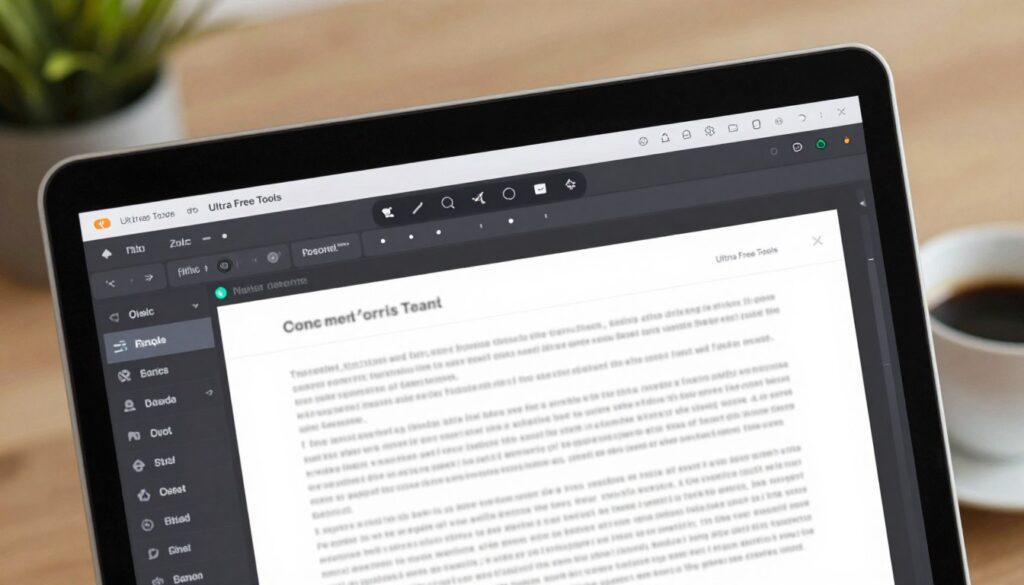
The interface of our lightweight online document editor is designed to be clean and minimal, ensuring that you can focus on your writing without distractions. Upon opening the editor, you’ll notice a toolbar at the top with various formatting options.
To get familiar with the interface, take a moment to explore the different menus and tools available. You can hover over icons to see tooltips that explain their functions, making it easy to understand how to use each feature.
Creating and Formatting Your First Document
To create a new document, simply start typing in the main editing area. You can begin with a blank page or use one of our pre-designed templates to get started quickly. Our online writing editor with word counter allows you to track your progress as you write.
Formatting your document is easy with our toolbar. You can change font styles, sizes, and colors, as well as align text and insert lists or tables as needed.
- Change font styles and sizes to suit your needs
- Align text to the left, right, or center
- Insert ordered or unordered lists
- Add tables to organize data
Saving, Exporting, and Sharing Your Work
Once you’ve created your document, you can save it to your device or export it in various formats, including PDF, DOCX, and TXT. Our editor also allows you to share your work directly via email or social media.
To save or export your document, use the “File” menu at the top of the toolbar. You’ll find options to save to your computer, export to different file formats, or share your work with others.
| File Format | Description | Use Case |
|---|---|---|
| Portable Document Format | Sharing documents while preserving layout | |
| DOCX | Microsoft Word Document | Editing documents in Microsoft Word |
| TXT | Plain Text File | Simple text documents |
“The simplicity and functionality of this text editor make it an indispensable tool for anyone who needs to create and edit documents online.”
Conclusion
Using a free browser text editor or a browser-based text editor can significantly enhance your writing and editing experience. With its advanced formatting tools, flexible export options, and real-time word counter, this online text editor is perfect for various writing needs.
Whether you’re a student, blogger, or professional writer, this tool provides the necessary features to create and edit documents efficiently. Its accessibility across all devices and browsers makes it an ideal choice for anyone looking for a convenient writing solution.
By utilizing this browser-based text editor, you can streamline your writing process, improve productivity, and produce high-quality content. Explore the benefits of using a free browser text editor today and discover a more efficient way to write and edit.
FAQ
Yes, it is! Our free text editor online provides full access to all features without any hidden subscription fees or locked content. It is designed to be a free writing tool online that anyone can use, from students working on essays to professionals drafting reports in a lightweight online document editor environment.
Not at all. This is a 100% web based text editor, meaning it runs directly in your browser like Google Chrome, Safari, or Mozilla Firefox. There is no need for bulky downloads, making it a perfect quick text editing tool for users who need to write on the go without the overhead of traditional software like Microsoft Word.
Our advanced online text editor with formatting offers a robust suite of tools. You can enjoy rich text styling, font customization, and the ability to create complex tables and lists. It functions as a comprehensive text formatting tool that ensures your documents look professional, whether you are creating a simple list or a detailed business proposal.
Absolutely! This online writing editor with word counter provides real-time statistics, including character counts and estimated reading times. This makes it the best free online text editor for writing for those who need to stick to strict word counts, such as journalists or students submitting academic papers.
Once you finish your work in our online document editor, you can export your file in several popular formats. We support PDF, DOCX, and TXT exports. Additionally, for web developers and technical writers, this free browser based document editor tool offers support for HTML and Markdown formats.
Yes, it is. Our online writing editor is fully responsive, meaning it works seamlessly across desktops, tablets, and smartphones. Whether you are using an iPad or an Android device, you will have access to a simple writing editor that adapts to your screen size for a comfortable writing experience.
Definitely! Many users treat our platform as a dedicated online note editor to jot down quick ideas, outlines, or meeting minutes. Because it is a free browser text editor, you can open it instantly whenever inspiration strikes, making it an essential text editing tool for students and creative writers.
We prioritize your privacy. Since this is a writing editor online, your text is processed locally in your browser session. We don’t require account registration to use the word editor online, ensuring that your creative sessions remain private and secure while you work on your next big project.