
How to Write SEO-Friendly Blog Posts for Beginners: A Step-by-Step Guide
Starting a new blog is exciting. You pick a clean design, write about a topic you care about, and hit publish. But after a few weeks, you look at your website stats and notice something discouraging: almost no one is reading your posts.
When you look for answers, you constantly run into the term SEO (Search Engine Optimization).
If you are new to blogging, SEO can feel incredibly confusing. You might see people talking about algorithms, backlinks, technical audits, and keyword density, making it sound like you need a degree in computer science just to get your articles noticed.
The good news? Basic SEO writing is much simpler than it looks. You do not need expensive software or complex technical skills to start getting visitors from search engines like Google. You simply need to understand how people search for information and how to write articles that answer their questions clearly.

In this guide, you will learn step-by-step how to write SEO-friendly blog posts for beginners—from finding your first topic to optimizing your final draft before pressing publish.
What Is an SEO-Friendly Blog Post?
An SEO-friendly blog post is an article written and structured to help search engines understand what it is about while providing genuine, easy-to-read value to human visitors.
In the early days of the internet, making a post “SEO-friendly” meant repeating a specific phrase twenty times so a search engine would take notice. Today, search engines are much smarter. They pay attention to how helpful your content is, how clearly it answers a query, and whether readers enjoy staying on your page.
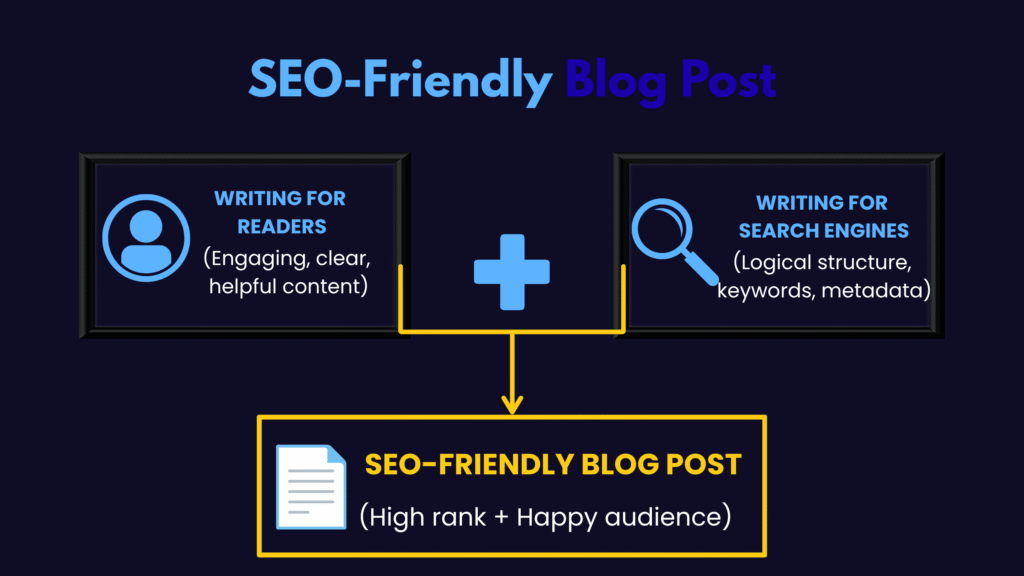
Writing for SEO does not mean writing like a robot. It means finding a balance between two things:
- Writing for your readers: Using clear language, friendly formatting, helpful examples, and logical flow so humans enjoy reading your work.
- Writing for search engines: Using descriptive headings, targeted keywords, clear URLs, and structured data so search algorithms can index your topic accurately.
When you satisfy both, your articles naturally perform better in search results.
Why SEO-Friendly Blog Posts Matter
Writing without considering SEO is like opening a shop down a quiet side alley and hiding your sign. You might have wonderful items inside, but no one knows you exist.
Optimizing your articles offers several long-term advantages:
- Consistent Organic Traffic: Instead of constantly relying on social media posts that disappear in a few hours, SEO-optimized articles attract steady visitors from search results for months or even years.
- Better Reader Experience: The techniques used in SEO writing—such as short paragraphs, clean headings, and bullet points—make your content significantly easier for people to skim and digest.
- Higher Quality Visitors: People searching Google are usually actively looking for a solution. When they land on your article, they are much more likely to read your advice, sign up for your newsletter, or buy your product.
- Building Long-Term Value: Every optimized article you publish acts as a permanent asset for your website, gradually building your site’s authority over time.
How to Write an SEO-Friendly Blog Post Step by Step
Ready to start writing? Follow these twelve steps to plan, draft, and refine your blog posts:
- Start With Keyword Research
- Understand Search Intent
- Create a Clear Blog Outline
- Write a Helpful and Natural Introduction
- Use Keywords Naturally
- Write SEO-Friendly Headings
- Make Content Easy to Read
- Add Internal and External Links
- Optimize Images
- Write an SEO-Friendly Meta Title and Description
- Optimize the URL
- Write a Strong Conclusion
1. Start With Keyword Research
Before typing your first paragraph, you need to know what words people use when searching for your topic. These words and phrases are called keywords.
- Primary Keyword: The main phrase your article is about (for example, how to start a garden).
- Secondary Keywords & Related Terms: Phrases closely tied to your main topic (for example, best soil for vegetable garden, beginner gardening tips, or when to plant seeds).
Beginners often ask: Should I focus on keywords or search intent first?
Always start by finding a clear keyword topic, but build the content around what the searcher actually needs. Keyword research prevents you from guessing what to write about. It shows you the exact questions real people are asking online every day.
Free tools like Google Trends, AnswerThePublic, or simply looking at Google’s auto-complete suggestions can help you find popular search phrases in your niche.
2. Understand Search Intent
Search intent is the reason behind a user’s search. When someone types something into Google, what are they actually trying to accomplish?
Google cares deeply about search intent. If your article does not match what the searcher expects, it will struggle to rank, no matter how well-written it is.
Search intent generally falls into four main categories:
- Informational: The searcher wants to learn about a topic (for example, “how does solar power work”).
- Navigational: The searcher wants to find a specific website (for example, “Canva login page”).
- Commercial: The searcher wants to research before buying (for example, “best running shoes for beginners”).
- Transactional: The searcher wants to buy something right now (for example, “buy drip coffee maker online”).
If your target keyword is “best cheap laptops,” the user has commercial intent. They want a comparison list of affordable laptops, not a 3,000-word history lesson on how microchips are manufactured. Always check the top search results for your keyword to see what format Google is currently rewarding.
3. Create a Clear Blog Outline
A solid outline stops you from rambling and gives your article a clear, logical progression.
Structure your outline using standard HTML heading tags:
- H1 (Heading 1): The main title of your blog post. You should only have one H1 per article.
- H2 (Heading 2): Main sections that break up your core arguments or steps.
- H3 (Heading 3): Sub-sections under an H2 that break down specific details further.
Think of headings like chapters in a textbook. If a reader only reads your headings, they should still understand the main narrative of your article.
4. Write a Helpful and Natural Introduction
Your introduction has one main job: to convince the reader that they are in the right place.
Avoid writing long, vague intro paragraphs that start with sweeping historical statements. Instead, get straight to the point:
- Acknowledge the reader’s problem or goal: Show that you understand what brought them to your page.
- Introduce your solution: State clearly what the post will cover.
- Include your primary keyword naturally: Place your main phrase somewhere within the first 100 to 150 words if it fits smoothly.
Keep your introduction short—usually two to four quick paragraphs are enough to hook the reader.
5. Use Keywords Naturally
A common question beginners ask is: How many times should I use my keyword?
There is no magical formula or ideal “keyword density” percentage. Forcing a keyword into your content every two paragraphs makes your writing sound stiff and unnatural.
Instead, follow these basic practices:
- Place your primary keyword in your main title (H1).
- Mention it in your introduction and conclusion.
- Include it in one or two H2 subheadings if it sounds completely natural.
- Use synonyms and variation phrases throughout the body text (for example, substituting SEO blogging tips or writing optimized articles for your main phrase).
If a sentence sounds awkward when read out loud, rewrite it. Human readability always beats keyword placement.
6. Write SEO-Friendly Headings
Headings help readers skim your page to find what they need quickly. Most online readers do not read every single word; they scan subheadings first to see if the content is worth their time.
Make your subheadings descriptive and engaging:
- Vague Heading: Tips
- Descriptive SEO Heading: 7 Simple Tips for Writing Clearer Captions
When appropriate, include secondary keywords in your H2 and H3 tags. But remember: Should I put the primary keyword in every heading? Absolutely not. Doing so creates repetitive, low-quality text and can make the article feel over-optimized and unnatural.
7. Make Content Easy to Read
Large walls of unbroken text intimidate readers and cause them to leave your site quickly. If visitors quickly leave because they cannot find what they need, that can indicate that the page is not meeting their expectations.
Keep your formatting clean and approachable:
- Short Paragraphs: Limit paragraphs to two or three sentences.
- Bullet Points and Lists: Use lists to break down multiple steps or item lists.
- Bold Text: Bold key terms or important phrases so skimmers catch critical points.
- Simple Vocabulary: Use clear, straightforward language instead of overly complicated jargon.
Beginners often ask: How long should an SEO blog post be?
There is no fixed word count requirement. An effective blog post is simply as long as it needs to be to answer the query thoroughly. A simple tutorial might only need 800 words, while a broad guide might require 2,000 words. Focus on clearing up the topic without adding fluff.
8. Add Internal and External Links
Links are the highways of the internet. They connect pages together and help search engines discover how your content relates to other resources.
- Internal Links: Links that point to other related articles on your own website. They help readers find more of your work and help search engines index your pages. For example, if you mention email marketing in a blogging guide, link to your dedicated tutorial on setting up a newsletter.
- External Links: Links that point to trustworthy third-party websites. Linking to reputable studies, official statistics, or primary sources shows readers (and search engines) that your advice is well-researched.
Are internal links really that important? Yes. They are one of the easiest ways to keep people on your website longer while showing search engines how your content fits together logically.
9. Optimize Images
Images make your articles visually appealing, but unoptimized image files can severely slow down your website. Slow websites frustrate visitors and lower your search rankings.
How many images should a blog post have? Include as many as necessary to illustrate your points clearly. Simple tutorials benefit from screenshots for every step, while opinion pieces might only need one or two relevant visual breaks.
Follow these simple rules for every image:
- Use Relevant Images: Choose visuals that genuinely add context, such as step-by-step screenshots or custom diagrams, rather than generic stock photos.
- Rename File Names Before Uploading: Change default names like IMG_9041.jpg to descriptive names like seo-blog-post-outline-example.jpg.
- Compress Image Files: Use free tools to shrink image file sizes without losing visual quality before uploading them.
- Write Alt Text: Add descriptive alt text (alternative text) to every image. Alt text helps screen readers describe visuals to visually impaired users and helps search engines understand what the image shows.
10. Write an SEO-Friendly Meta Title and Description
When your website appears in search results, Google displays a title and a short snippet of text. These are your meta title and meta description.
Search Engine Results Snippet:

- Meta Title: The clickable headline shown in search results. Keep your title concise and descriptive so that it has a better chance of displaying clearly in search results. Place your primary keyword near the beginning.
- Meta Description: A brief summary (around 140–150 characters) explaining what the page covers. Write it like a clear advertisement that encourages the user to click.
11. Optimize the URL
A good web address (URL) tells both users and search engines what a page is about before they click on it.
Keep your URLs short, clean, and descriptive. Include your primary keyword and use hyphens to separate words.
- ❌ Bad URL: [example.com/p=123984-draft-final-v2](https://example.com/p=123984-draft-final-v2)
- ✅ Good URL: [example.com/seo-friendly-blog-posts](https://example.com/seo-friendly-blog-posts)
Once you set a URL and publish your post, avoid changing it later unless absolutely necessary, as changing web addresses breaks existing links pointing to your site.
12. Write a Strong Conclusion
Wrap up your post with a clear, encouraging summary. Remind the reader of the core steps they need to take, and offer a simple next action step.
Instead of ending abruptly, invite reader interaction:
- Ask an open-ended question to encourage comments.
- Direct them to a related article on your site.
- Encourage them to sign up for your free email newsletter.
Common SEO Writing Mistakes Beginners Should Avoid
Learning what not to do saves you from spending months fixing basic mistakes. Keep an eye out for these frequent traps:
- Keyword Stuffing: Forcing your keyword into sentences where it sounds unnatural just to boost count.
- Copying Content: Plagiarizing or lightly rewriting text from other websites. Search engines reward unique, original perspectives and may penalize copied text.
- Ignoring Search Intent: Writing a long historical narrative when the reader just wants a quick step-by-step checklist.
- Writing Only for Search Engines: Focusing so heavily on SEO rules that your writing becomes boring, stiff, or frustrating for real humans to read.
- Using Poor or Vague Headings: Using unhelpful headers like “Section 1” or “More Info” instead of descriptive titles.
- Writing Unnecessarily Long Introductions: Taking 500 words to introduce a simple topic before addressing the main question.
- Not Adding Internal Links: Publishing new posts in total isolation without connecting them to existing content on your site.
- Using Unreliable External Sources: Linking to low-quality, spammy, or outdated sources instead of reputable sites.
- Ignoring Image Optimization: Uploading massive 5MB image files straight from a camera, causing pages to load painfully slowly.
- Publishing Raw AI Content Without Review: Can AI-generated content be used for blogs? AI tools can help draft outlines or brainstorm ideas, but publishing raw, unedited AI content often results in generic, repetitive articles that lack real personal insight, accurate facts, and human touch. Always review, edit, and add personal expertise to any AI-assisted draft.
SEO-Friendly Blog Post Checklist for Beginners
Before hitting “Publish” on your next draft, run through this quick quality check to make sure your post covers all the fundamentals:
- Keyword Research: Did you pick a clear primary keyword and related terms?
- Search Intent: Does your article directly answer what the searcher is looking for?
- Content Value: Is the information accurate, original, and genuinely helpful?
- Structure: Did you use a single H1 tag and organize main sections with H2/H3 headings?
- Introduction: Does your intro introduce the topic and primary keyword naturally?
- Readability: Are paragraphs short, with bullet points or bold text to break up walls of text?
- Keyword Usage: Is your keyword used naturally without sounding forced or repetitive?
- Internal Links: Did you add relevant internal links where they genuinely help the reader?
- External Links: Did you link out to at least one reliable external source or study?
- Images: Are images compressed, descriptively named, and fitted with helpful alt text?
- Meta Title & Description: Have you written a custom title (under 60 chars) and description?
- URL Slug: Is your URL short, clean, hyphenated, and descriptive?
- Proofreading: Have you read the draft out loud to catch typos and awkward sentences?
Conclusion
Writing SEO-friendly blog posts is not about tricking search engines or filling your articles with repetitive keywords. It is about understanding what your audience is searching for, organizing your thoughts clearly, and delivering the most helpful answer possible.
When you focus on user experience first—using clear headings, simple formatting, clean links, and fast-loading images—search engine performance naturally follows.
Take it one article at a time. Start by picking a single topic, outlining your post with reader intent in mind, and working through the checklist above before publishing. With consistent practice, optimizing your content will become a seamless, natural part of your writing process.